How to Tell If Your Phone Is Being Monitored: Signs and Checks
- The strongest signs are unknown management profiles, apps with admin or accessibility rights, unfamiliar devices on your account and a person who knows things they should not.
- Battery drain, heat and data spikes justify a closer look but usually have innocent causes.
- On iPhone, Safety Check reviews sharing and access; on Android, Play Protect and a few settings screens do the same job.
- No dial code reveals spyware; codes like *#21# only show call forwarding.
- If an abusive partner may be involved, contact the National Domestic Violence Hotline at 1-800-799-7233 from another device before removing anything.
- Signs your phone is being monitored: what actually points to it
- Stalkerware, MDM or the carrier: three very different kinds of monitoring
- How to check an iPhone for monitoring
- How to check if your phone is being tracked on Android
- Do codes show if your phone is being tracked?
- Monitored or hacked? How to tell the difference
- If you may be in an abusive situation: safety planning comes first
- How to block your phone from being tracked and keep it that way
- A quick checklist you can run today
The most reliable way to tell if your phone is being monitored is not a secret dial code or a clicking noise on calls. It is a combination of three checks: what the phone itself reports (unknown device-management profiles, apps with admin or accessibility powers, accounts signed in on devices you do not recognize), how the phone behaves (battery drain, data use and heat you cannot explain), and what another person seems to know about you that they should not. On an iPhone, Apple's built-in Safety Check reviews most of this in a few minutes. On Android, Google Play Protect plus a short walk through a handful of settings screens covers the same ground.
Before you change anything, one rule matters more than any setting: if you suspect a partner, ex-partner or family member is watching you, removing their access can tip them off and make things more dangerous. The Federal Trade Commission's advice is to think about safety first and talk to a domestic violence advocate before removing monitoring software. The section on abusive situations below explains how to do that without alerting the person.
Signs your phone is being monitored: what actually points to it
Most lists of "signs of spyware on a phone" mix real warning signs with ordinary glitches. A phone that is slow, hot or quick to lose its charge is far more often an aging battery or a misbehaving app than a spy tool. The useful approach is to treat performance symptoms as reasons to look closer, and to give the most weight to signs that only make sense if someone has access.
Signs that carry real weight
- Someone knows things they should not. The FTC lists this first among behavioral clues: a person who knows your exact location when you did not share it, repeats details of private conversations, or always seems to know who you are texting or which sites you visit.
- A device-management profile you did not install. On an iPhone, a configuration or management profile under VPN & Device Management that you cannot explain is a serious red flag on a personal phone.
- Apps with powerful permissions and bland names. The FTC notes that some spying apps hide under innocuous names such as "System Service." On Android, look for unfamiliar apps listed as device admin apps or granted accessibility access.
- Unknown devices on your accounts. A tablet or laptop you have never owned signed into your Apple Account or Google Account can read synced messages, photos and location.
- Location sharing you did not turn on. Find My on iPhone and location sharing in Google Maps are legitimate features, which is exactly why they are often quietly switched on by someone who had the phone in hand.
- A phone that has been rooted or jailbroken. Some stalkerware can only be installed after someone bypasses the phone's built-in protections, according to the FTC.
Signs that only justify a closer look
- Battery draining faster than usual
- Unexpected jumps in mobile data use
- Overheating while the phone is idle
- The phone turning off and on by itself
The FTC includes these performance questions in its stalkerware guidance, but each has many innocent explanations. They become meaningful when they appear together with one of the stronger signs above, or when they start shortly after someone else had unsupervised access to your phone.
Clicks, echoes or static on a call are not signs that your phone is tapped. Modern calls are digital, and lawful interception happens inside the carrier's network, where it leaves no audible trace on your handset. Background noise is almost always a weak signal or a network handoff.
Stalkerware, MDM or the carrier: three very different kinds of monitoring
"Monitored" can mean several things, and the right check depends on which one you are worried about. Most real-world cases fall into one of the categories below, and the most common is not exotic spyware at all but someone who knows your account password.
| Type | Who typically uses it | What it can see | How you can spot it |
|---|---|---|---|
| Account access (shared or stolen login) | Partners, ex-partners, family members | Synced messages, photos, backups, location history, browsing synced to the account | Unknown devices in your Apple Account or Google Account device list; sign-in alerts |
| Location-sharing features | Family members, partners | Live location | Find My sharing list on iPhone; location sharing in Google Maps; Safety Check on iPhone |
| Stalkerware (covert monitoring app) | Abusive partners, controlling relatives | Location, texts, email, photos, browsing, sometimes the microphone | Unfamiliar apps with admin or accessibility rights; Play Protect warnings; rooted or jailbroken status |
| Mobile device management (MDM) | Employers and schools, on devices they issue or enroll | Depends on the setup; can include installed apps, device settings and work data | Management profile on iPhone; work profile or "managed by your organization" notice on Android |
| Carrier-level and lawful interception | Carriers and law enforcement with legal authority | Call records, and content only under court-supervised legal process | Not visible from the phone; family-locator features on a shared plan show up in the account holder's carrier account |
MDM deserves a fair word. On a phone your employer gave you, a management profile is normal and usually disclosed in your company's policies. It becomes a warning sign when it appears on a personal phone that no organization should be managing. Carrier interception, meanwhile, is not something you can detect or block from the handset, and it is legally constrained in the United States. What people often mistake for carrier surveillance is a family-locator service on a shared phone plan, which the plan's account holder can typically switch on and view.
How to check an iPhone for monitoring
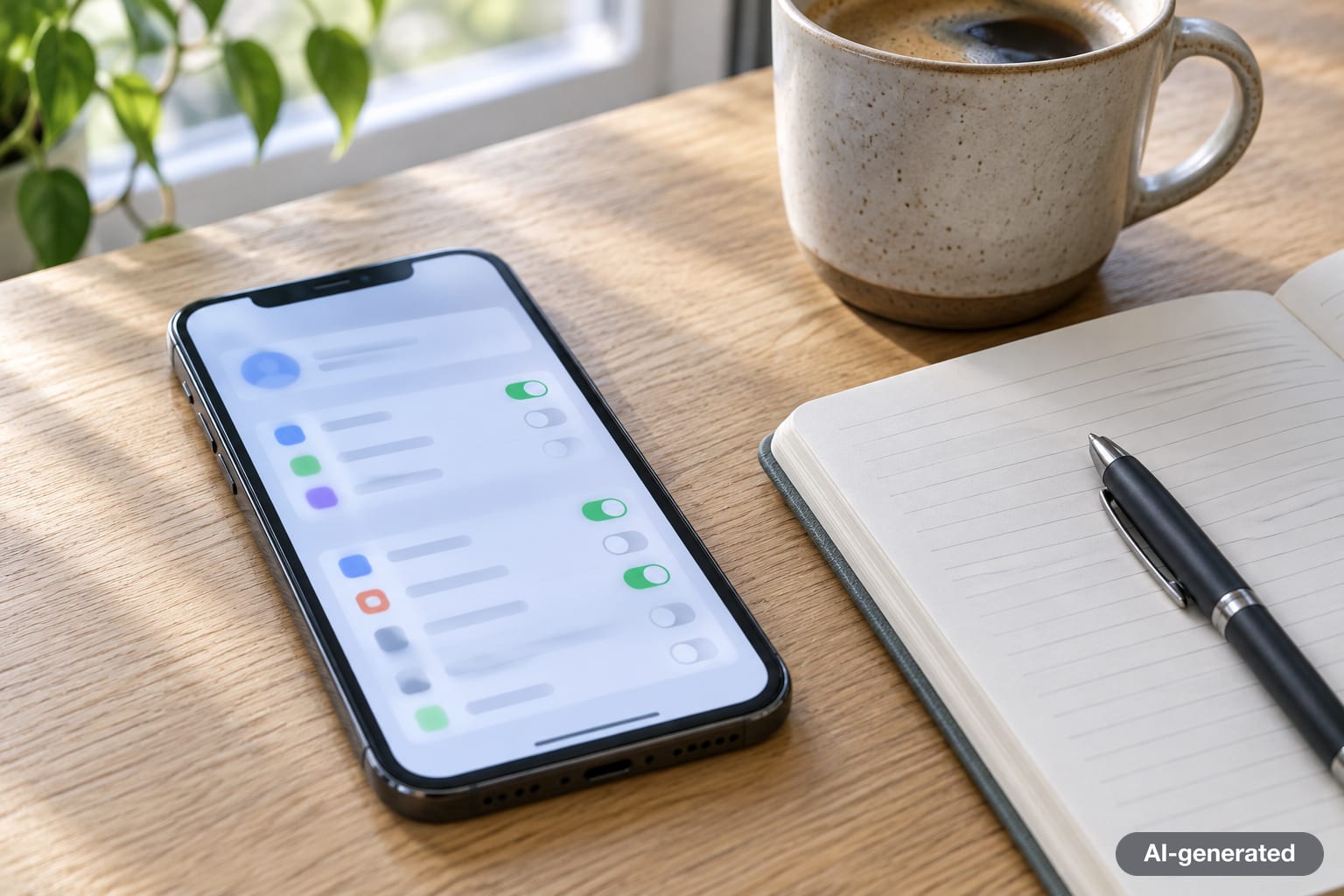
Apple's Safety Check, available on iPhones running iOS 16 or later, was built for exactly this situation. You will find it under Settings > Privacy & Security > Safety Check. It offers two paths.
- Manage Sharing & Access lets you review, person by person and app by app, who can see your location in Find My, who has access to shared content such as Photos, Notes and Calendar, and which apps hold privacy permissions such as location, camera and microphone. You can stop individual items without touching the rest.
- Emergency Reset stops sharing with all people and apps at once, then walks you through reviewing your emergency contacts, the devices connected to your Apple Account, the phone numbers used to verify your identity, and your Apple Account password.
Apple's own Personal Safety guide notes that Safety Check cannot review everything. Accounts and passwords for other services, social media sharing and information shared from another device are outside its reach, so a few manual checks are still worth doing.
Five manual checks on an iPhone
- Management profiles. Go to Settings > General > VPN & Device Management. On a personal phone, this section should normally be empty or show only a VPN you set up yourself.
- Devices on your Apple Account. Go to Settings, tap your name and scroll down to the device list. Tap any device you do not recognize and remove it, after reading the safety section below.
- Messages and FaceTime on other devices. Safety Check can restrict Messages and FaceTime to the iPhone in your hand. This matters because a Mac or iPad signed into your account can receive your texts.
- Find My sharing. Open the Find My app and check the People tab for anyone who can see your location.
- The camera and microphone indicators. An orange dot at the top of the screen means an app is using the microphone; a green dot means the camera is in use. Swipe into Control Center to see which app it is.
Covert monitoring apps are harder to place on an unmodified iPhone than on Android because iOS only installs apps from approved sources unless the phone has been jailbroken. That is why, on iPhones, account access and sharing features are the more common route, and why changing your Apple Account password and checking the device list carries so much weight. People who could be targeted by highly sophisticated government-grade spyware, such as journalists or activists, can also turn on Apple's Lockdown Mode, which sharply limits what the phone will accept from the outside.
How to check if your phone is being tracked on Android
Android phones vary by manufacturer, so menu names differ slightly, but the same checks apply on Samsung, Google Pixel and other devices.
Run Google Play Protect
Google Play Protect scans apps when you install them and periodically checks the whole device, including apps that did not come from the Play Store. To run it manually, open the Play Store app, tap your profile icon, choose Play Protect and tap Scan. Make sure Scan apps with Play Protect is switched on in its settings; turning it off is a common step in stalkerware installation instructions.
Review the apps with the most power
- Device admin apps. Search your Settings for "device admin." Legitimate entries include Find My Device and, on work phones, your company's management app. Anything else deserves scrutiny.
- Accessibility. Under Settings > Accessibility, check the list of installed services. Accessibility access can let an app read what is on your screen, which is why monitoring apps request it.
- Special app access. In Settings > Apps, look for "Special app access" and review notification access, usage access and "display over other apps."
- The full app list. In Settings > Apps, show system apps and scroll for anything with a generic name you did not install.
Check your Google Account and sharing
Visit the Security section of your Google Account and open the list of your devices. Sign out any device you do not recognize. In Google Maps, tap your profile picture and choose Location sharing to see who can view your location. Android 12 and later also show a green indicator in the top corner when an app uses the camera or microphone, and the Privacy dashboard in Settings lists which apps used your location, camera and microphone recently.
A Samsung or other Android phone that shows a work profile or a "This device is managed by your organization" notice is enrolled in device management. If that is your personal phone and no employer or school should be managing it, treat it as a serious sign.
Do codes show if your phone is being tracked?
Searches for "codes to see if your phone is being tracked" are common, and the short answer is no: there is no dial code that reveals spyware or location tracking. The codes that circulate online are carrier service codes. On many GSM-based networks, *#21# shows whether your calls are being unconditionally forwarded, and *#62# shows where calls go when your phone is unreachable. Unexpected call forwarding is worth knowing about, because it can route your calls or voicemail elsewhere, but it is a different problem from monitoring software. Support for these codes varies by carrier and by phone model, including on Samsung devices, so a blank or error response does not mean anything sinister.
If call forwarding is switched on and you did not set it, contact your carrier from a phone you trust, and ask them to add a PIN or passcode to your account so no one else can change your service or move your number to another SIM.
Monitored or hacked? How to tell the difference
People searching for "how to know if your phone is being hacked" are often describing a different situation. Hacking usually means a stranger has broken into an account or the device for money: password reset emails you did not request, messages sent from your accounts, new two-factor methods you did not add, unfamiliar purchases, or a phone that suddenly loses service because someone moved your number to their own SIM. Monitoring usually means someone you know is watching quietly and wants to stay unnoticed.
The fixes overlap. Update the phone's operating system and apps, change passwords for your email and phone accounts from a device you trust, turn on two-factor authentication or passkeys, and review which devices are signed in. The difference is the order of operations: a stranger can be locked out immediately, while a person who lives with you or knows you may react to being locked out.
If you may be in an abusive situation: safety planning comes first
Stalkerware is closely tied to domestic abuse. Kaspersky's tech-abuse report published in May 2026 counted more than 34,000 of its mobile users affected by stalkerware in 2024 and 2025, and about 127,000 over five years, across more than 160 countries. Those figures cover only one security company's customers, so the true number is higher.
The FTC warns that an abuser who uses stalkerware may escalate if they suspect you are cutting off their access, and that calling for help, researching your options on the phone, or talking near it could tip them off. Its advice, in order:
- Use a different device to get help. Borrow a phone from a friend or relative, use a public computer, or buy a prepaid phone. Do not research or call from the device you suspect.
- Talk to an advocate before removing anything. The National Domestic Violence Hotline is free, confidential and available around the clock: call 1-800-799-7233 (1-800-799-SAFE), text START to 88788, or chat at thehotline.org. Advocates can help you build a personal safety plan and a technology safety plan.
- Document before you delete. An advocate can help you preserve evidence such as screenshots of apps, settings and messages, which can matter for protective orders.
- Decide between resetting and replacing. The FTC says the safest option may be a new phone with an account the abuser cannot reach. If you keep your phone, a full factory reset may remove stalkerware.
- Do not restore apps from an old backup. Reinstall apps fresh from the App Store or Play Store; restoring from a backup can bring the stalkerware back.
The National Network to End Domestic Violence runs the Safety Net Project, with guides for checking whether a phone has been rooted or jailbroken and toolkits on technology safety. The Coalition Against Stalkerware, founded in 2019 by security companies and survivor advocates, also lists support organizations and plain-language explanations of how stalkerware works.
Sometimes the safer choice is to leave monitoring in place for a while, keep using the watched phone for ordinary things, and use a separate device for anything private until a plan is ready. There is no single right answer, which is why advocates start with your situation rather than with the phone.
How to block your phone from being tracked and keep it that way
Once you are safe to make changes, a handful of habits make covert monitoring much harder.
- Keep physical control of the phone. Most stalkerware requires a few minutes of hands-on access. Use a passcode of at least six digits, as the FTC recommends, and change it if someone else might know it.
- Secure the accounts behind the phone. Change the passwords for your Apple Account or Google Account and your email, turn on two-factor authentication, and consider switching to passkeys, which cannot be phished or guessed.
- Update promptly. Operating system updates close the security holes that some spyware relies on.
- Audit sharing every few months. Run Safety Check on iPhone, review Location sharing in Google Maps, and recheck device lists. Shared access tends to pile up quietly over time.
- Watch for physical trackers too. iPhones and Android phones can alert you to an unknown Bluetooth tracker, such as an AirTag, that is moving with you. That is location tracking without any software on your phone at all.
- Do not jailbreak or root your phone. It removes protections that block many monitoring apps.
Regulators have also started to push back on the industry. In 2021 the FTC banned the stalkerware maker Support King and its chief executive from the surveillance business after alleging that its SpyFone app secretly harvested data on people's movements, phone use and online activity, and it ordered the company to delete the data it had collected. It was the first time the agency banned a stalkerware company outright.

A quick checklist you can run today
If you only have ten minutes, work through this list on the phone you are worried about, and stop at any point where acting would put you at risk.
- iPhone: run Safety Check and choose Manage Sharing & Access. Android: run a Play Protect scan.
- Look for management profiles (iPhone) or device admin apps and accessibility services (Android) that you cannot explain.
- Check the device list on your Apple Account or Google Account.
- Check who can see your location in Find My or Google Maps.
- Note anything odd, with screenshots, before you change it.
- If a person close to you could be behind it, contact the National Domestic Violence Hotline from a different device before you remove anything.
For more explainers on everyday technology, browse our tech section, where we also cover how passkeys make account takeovers harder and whether AI could replace lawyers.
Frequently asked questions
Can someone monitor my phone without touching it?
Usually not through an app: most stalkerware needs a few minutes of physical access to install. Remote monitoring more often happens through your accounts, for example someone who knows your Apple Account or Google Account password and signs in on another device, or through location sharing that was switched on earlier.
Does a factory reset remove stalkerware?
According to the FTC, a full factory reset may remove stalkerware, and the safest option can be a new phone with an account the abuser cannot access. Do not restore apps from an old backup afterward, and change your account passwords, or the monitoring can come back.
What does *#21# show on my phone?
On many GSM-based networks it shows whether your calls are unconditionally forwarded to another number. It does not detect spyware or location tracking, and support varies by carrier and phone model.
How do I know if my work phone is monitored?
A phone your employer issued or enrolled is usually managed through mobile device management. On iPhone you will see a profile under Settings, General, VPN and Device Management; on Android you will see a work profile or a notice that the device is managed by your organization. Your employer's policies describe what is collected.
Is it safe to remove spyware if my partner installed it?
It can be risky. The FTC warns that an abuser may escalate if they notice their access has been cut off. Talk to an advocate at the National Domestic Violence Hotline (1-800-799-7233, or text START to 88788) from a device you trust before removing anything, and document the evidence first.
Sources
- Federal Trade Commission: Stalkerware, What To Know
- FTC: Support King (SpyFone.com) case
- Apple Personal Safety User Guide: Safety Check for iPhone
- Apple iPhone User Guide: Manage information sharing with Safety Check
- Google Play Help: Use Google Play Protect
- Google for Developers: Play Protect on-device protections
- Electronic Frontier Foundation: FTC bans stalkerware company
- Coalition Against Stalkerware
- Kaspersky: report on tech-enabled abuse and stalkerware (May 2026)
- National Domestic Violence Hotline
- NNEDV Safety Net Project: Checking devices for rooting and jailbreaking


Log in to comment
No comments yet. Be the first.